


Activate a LinkedIn licence
A credit, a named account and a time-limited activation link.
Before you start
This introductory video presents Seatly. The dedicated LinkedIn activation walkthrough is being prepared; follow the steps below for this service.
The LinkedIn activation journey
Choose the account and licence
Follow the request
Use the activation link
Confirm success in Seatly
How long is the link valid?
The activation window is 4 hours from when the link is made available. The email shows the exact deadline. Reading a reminder later does not restart the window. If something is wrong, contact Seatly before that deadline.
Do I need to share a password?
No LinkedIn password is requested for this licence-activation process. You complete the relevant action while signed in to the correct LinkedIn account. Never send a password or verification code to support. Seatly does not collect or store your LinkedIn login credentials; its CSM team follows the request using workspace information. Learn what Seatly can see.
Does opening the link confirm the licence?
No. Link opened records a click, not a successful activation. Confirm only after checking LinkedIn. The dashboard and activation list provide a confirmation dialog to avoid accidental validation.
When can I request another licence?
The interface enforces a minimum 28-day interval after a confirmed activation, along with checks for existing requests and occupied licences. The tooltip explains the applicable block. Do not create duplicate account records to bypass it.
What if the request fails?
An eligible failure before any link was made available can return a credit. The activity log records the return; the restored credit has the validity of a newly added credit, starting at the return date. A failure after the link became available does not qualify for this automatic return. A returned credit is not a card refund.
Resolve activation issues · Credits and refunds · Videos
In the application
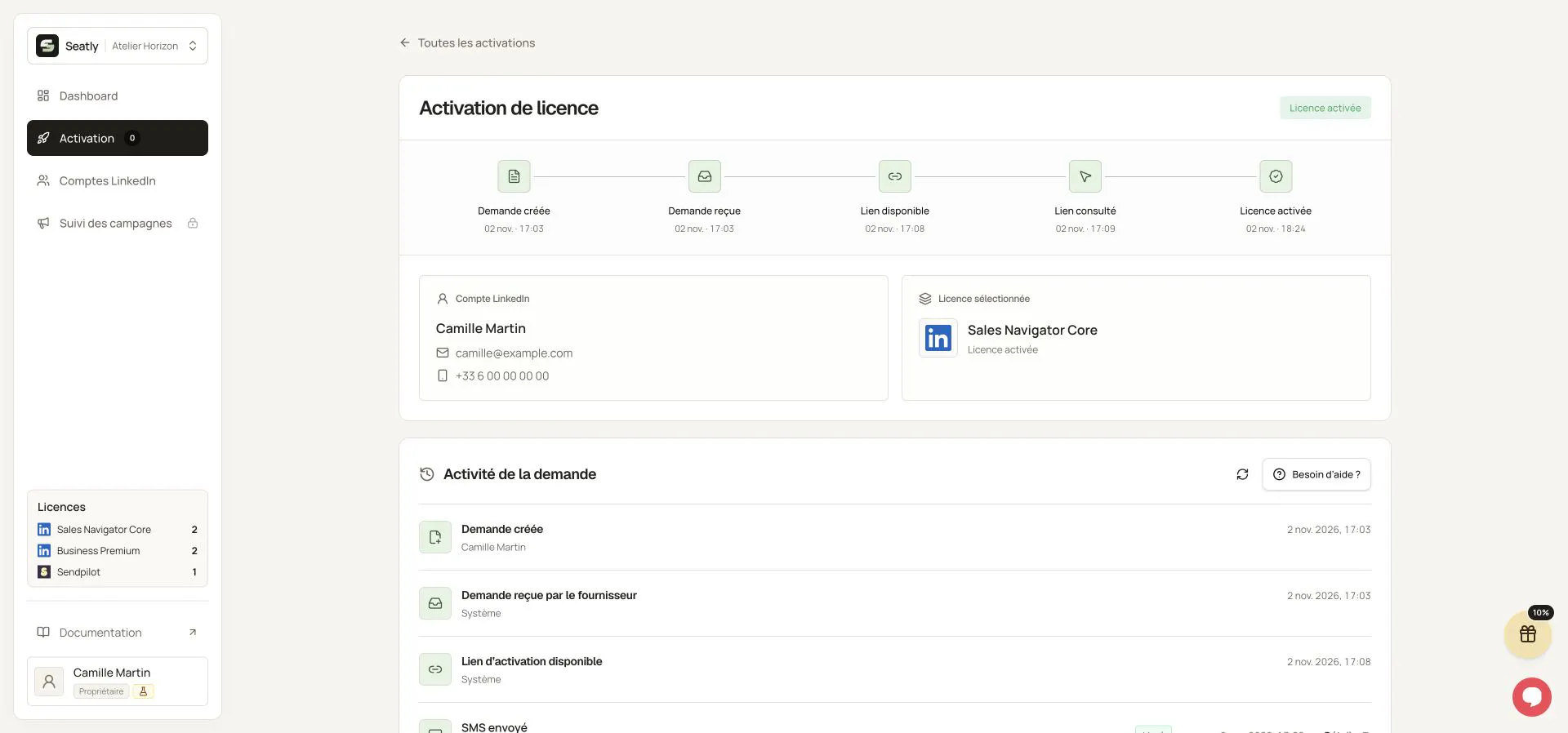
A completed LinkedIn activation and its progress timeline. Names, workspace and contact details have been replaced with fictional examples. This illustration is not a quote or a customer record. The interface shown is in French.